An AutoCAD alternative, made for the Mac
If you draft on a Mac, you've probably either put up with AutoCAD for Mac or kept a Windows PC around just for drawings. isogram is 2D CAD for architects and engineers that runs natively on Apple silicon, opens your DWG files and takes the commands you already type.
What you keep
- Your files. isogram opens DWG files from R13 up to the 2018 format, which is the one AutoCAD still saves in, and DXF files too. It saves both back with their layers, blocks and dimensions, so you can keep sending work to people on AutoCAD. More on DWG.
- Your commands. Type L and press Enter, and you're drawing a line. TR trims, O offsets, CO copies, and the function keys do what they always did: F3 for object snap, F8 for ortho, F10 for polar tracking. See the full list.
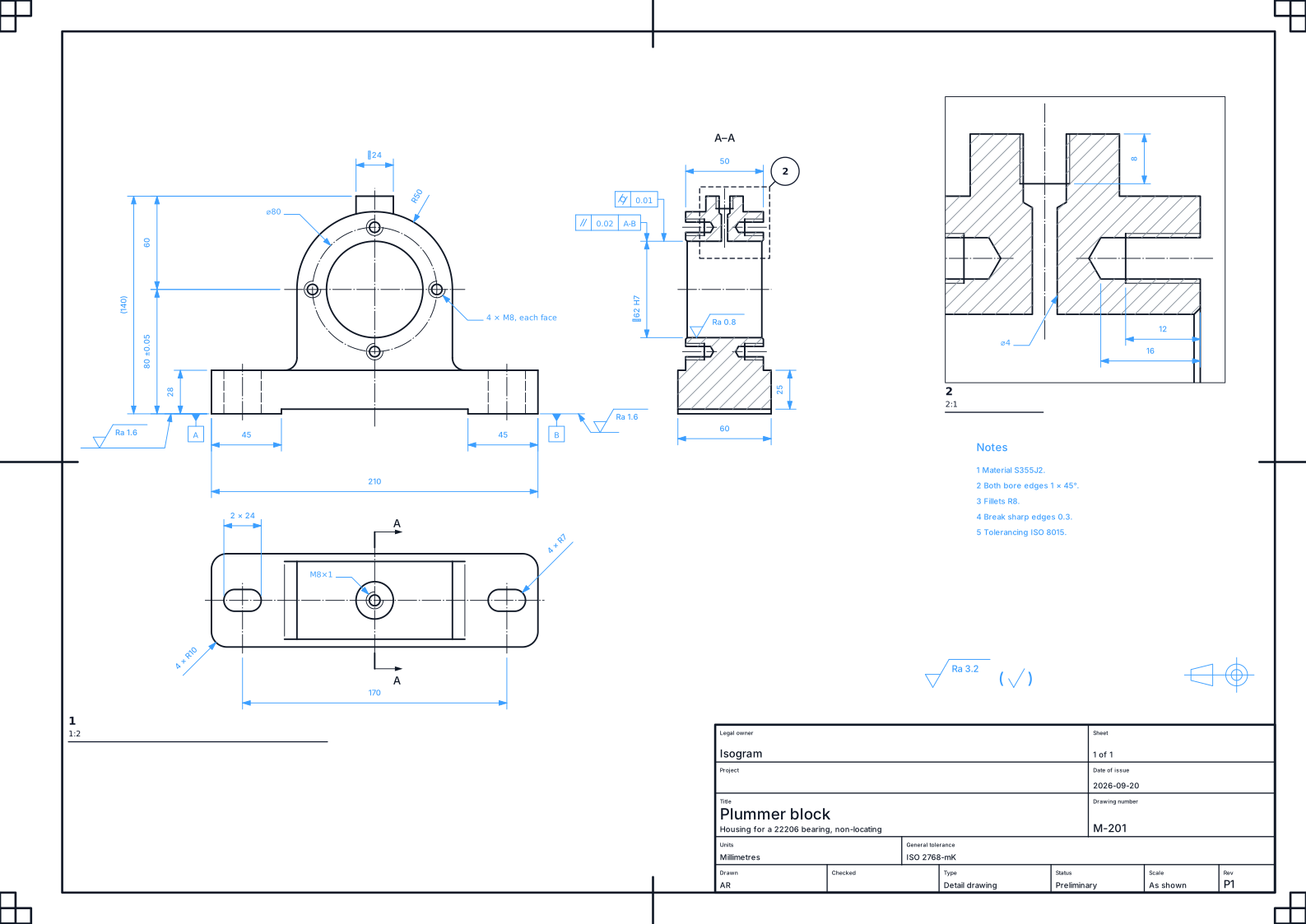
- Model space and paper space. They're here as Draft and Sheets. You draw at full size, then lay out sheets with viewports, title blocks and revisions, and publish the whole set as one PDF.
- Your standards. Dimensions, lettering and line types follow ISO or ASME, whichever your office works to.
What works better
isogram isn't a copy of AutoCAD. Here's where it does things the way you'd want them done:
- Type a length while you draw. Start a line, type 4200, and it's 4200 long before you press Enter. Tab moves you on to the angle.
- Sums at the command line. Type 3600 + 2 * 450 = or 13 feet in millimetres and the answer's right there. No calculator app.
- Rewind to any moment. Every change is kept on a timeline, so you can go back to how the drawing looked this morning, or last Tuesday.
- Sheets checked before they go. Before you issue a set, isogram reads every sheet for what a senior drafter would catch: lettering too small to print, a title block field left empty, two sheets with the same number.
- Auto Dim. On a part, it proposes the dimensions for the whole view. You review them and keep what you want.
What your Mac needs
A Mac with Apple silicon, M1 or later. isogram is built for Apple silicon only, so it won't run on an Intel Mac.
Your drawings are ordinary files in your Documents folder, and drafting works without an internet connection. Only the assistant and shared projects need one.
Other options on a Mac
If you're comparing, these are the other 2D CAD programs drafters on a Mac usually look at:
- AutoCAD for Mac and AutoCAD LT for Mac. Autodesk's own, on subscription. Autodesk says they aren't straight ports of the Windows versions, and some Windows features are missing.
- BricsCAD. Paid CAD built around DWG, for Windows, Mac and Linux, with 2D and 3D.
- QCAD. Open source 2D CAD for Windows, Mac and Linux. DWG support comes with the paid QCAD Professional.
- LibreCAD. Free and open source, for Windows, Mac and Linux. It reads DWG and saves DXF.
What isogram brings is in the lists above: the commands you know, a drawing's whole history, sheets checked before they're issued, and dimensions placed for you.
When you can try it
isogram arrives in December. Testing starts sooner, with the alpha in October and the beta after it. Join the list and we'll email you the download link when the alpha opens. It's free to test, and your drawings carry over to every release.
Questions
Does isogram run on an Intel Mac?
No. It's built for Apple silicon, so you'll need a Mac with an M1 chip or later.
Can I open my existing AutoCAD drawings?
Yes. isogram opens DWG files from R13 up to the 2018 format, and DXF files. Layers, blocks, dimensions, hatches and text all come across.
Can I send drawings back to people on AutoCAD?
Yes. Save as DWG in the 2018 or the 2004 format, or as DXF.
Does it do 3D?
Not yet. isogram is 2D today, and 3D joins it in the same app with version 2, planned for February.
4 October 2026
isogram arrives in December.
Join the list and we'll email you the download link when the alpha opens. It's free to test.
Join the listMore guides
- Open and edit DWG files, without AutoCADisogram opens DWG files from R13 to the 2018 format on Mac, Windows and Linux, lets you edit them, and saves them back as DWG or DXF.
- Your AutoCAD commands, typed the same wayThe AutoCAD command aliases and function keys that work in isogram: L for line, TR for trim, O for offset, F8 for ortho, and the rest you use every day.
- Professional 2D CAD that runs on Linuxisogram is 2D CAD for architects and engineers that runs on 64-bit Linux, on Intel, AMD and ARM. It opens DWG and DXF and takes the AutoCAD commands.
AutoCAD is a registered trademark of Autodesk, Inc. isogram is not affiliated with or endorsed by Autodesk.