Open and edit DWG files, without AutoCAD
A DWG arrives from a consultant and you don't have AutoCAD, or not on this computer. isogram opens it, lets you work on it like any other drawing, and saves it back as DWG. On a Mac, a Windows PC or Linux.
Which DWG files open
DWG has changed its format many times since the nineties. isogram reads every one from R13 to the 2018 format, which is what AutoCAD 2018 and every release since still save. It opens DXF files too.
| DWG format | Saved by AutoCAD | Opens in isogram |
|---|---|---|
| 2018 | 2018 and every release since | Yes |
| 2013 | 2013 to 2017 | Yes |
| 2010 | 2010 to 2012 | Yes |
| 2007 | 2007 to 2009 | Yes |
| 2004 | 2004 to 2006 | Yes |
| 2000 | 2000 to 2002 | Yes |
| R14 and R13 | R14 and R13 | Yes |
| R12 and older | R12 and older | Not directly: the free ODA File Converter turns them into a newer DWG first |
What comes across
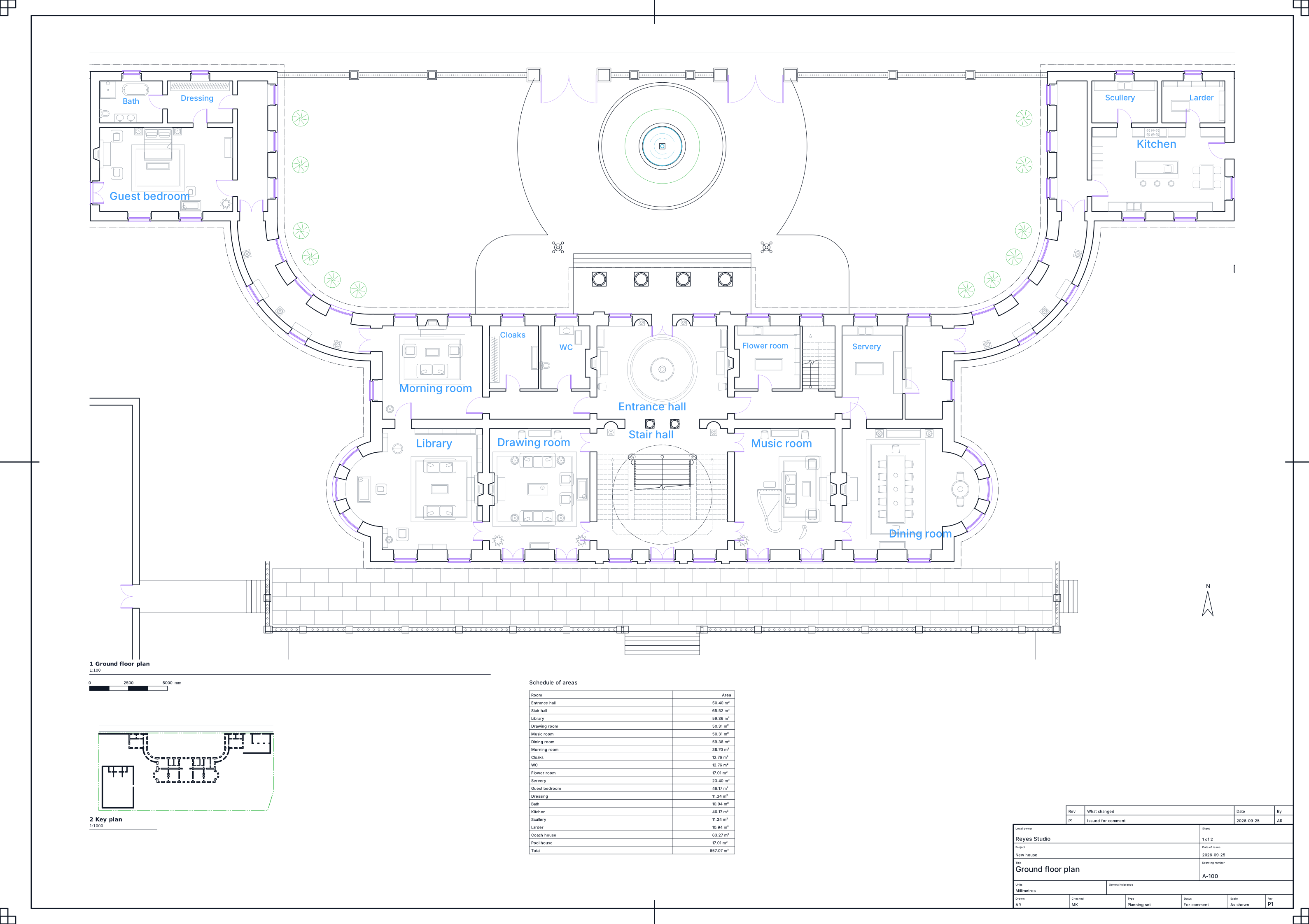
Lines, arcs, circles, ellipses and polylines, text, hatches, blocks with their attributes, construction lines, and the layers they all sit on. Dimensions come in with the figure AutoCAD wrote into the file, so nothing gets quietly measured again.
What doesn't
isogram draws in 2D. A DWG that's really a 3D model, made of solids, surfaces or meshes, won't turn into a drawing by opening it here. isogram tells you so and explains how to get the plans and sections out of the model instead.
The same goes for objects only a specialised AutoCAD product can draw, like those from Civil 3D or AutoCAD Architecture. isogram says what it found and which command turns them into plain lines on a copy of the file.
How to open one
- Choose Open DWG or DXF… from the File menu, or drop the file onto the drawing.
- It opens at full size, with its layers in the layers list.
- Draw, change and dimension it like any drawing.
- Save it as DWG or DXF to send it back.
Saving back to DWG
Save as DWG in the 2018 format, which every AutoCAD since 2018 opens, or in the 2004 format for an office on an older release. DXF is there too, including R12 DXF for older software that won't read anything newer. For printing and sending to clients, publish the sheets as one PDF.
On a Mac, a PC or Linux
It's the same app on all three: a Mac with Apple silicon (M1 or later), Windows on 64-bit Intel or AMD, and 64-bit Linux on Intel, AMD or ARM. A DWG that opens on one opens the same way on the others.
Questions
Do I need AutoCAD installed?
No. isogram reads and writes DWG on its own.
Can I edit the drawing, or only view it?
Edit it. Once it's open, it's a drawing like any other: every tool works on it, and you can save it back as DWG.
Will my layers and blocks survive the trip?
Yes. Layers, blocks and dimensions go out and come back with the drawing.
Can I try it now?
Testing starts with the alpha in October. Join the list and we'll email you the download link. It's free to test.
4 October 2026
isogram arrives in December.
Join the list and we'll email you the download link when the alpha opens. It's free to test.
Join the listMore guides
- An AutoCAD alternative, made for the Macisogram is 2D CAD for architects and engineers that runs natively on Apple silicon, opens your DWG files and takes the AutoCAD commands you already type.
- Your AutoCAD commands, typed the same wayThe AutoCAD command aliases and function keys that work in isogram: L for line, TR for trim, O for offset, F8 for ortho, and the rest you use every day.
- Professional 2D CAD that runs on Linuxisogram is 2D CAD for architects and engineers that runs on 64-bit Linux, on Intel, AMD and ARM. It opens DWG and DXF and takes the AutoCAD commands.
AutoCAD is a registered trademark of Autodesk, Inc. isogram is not affiliated with or endorsed by Autodesk.